Weather Briefing
Real-world METAR for your current airport, decoded and pushed live as you fly.
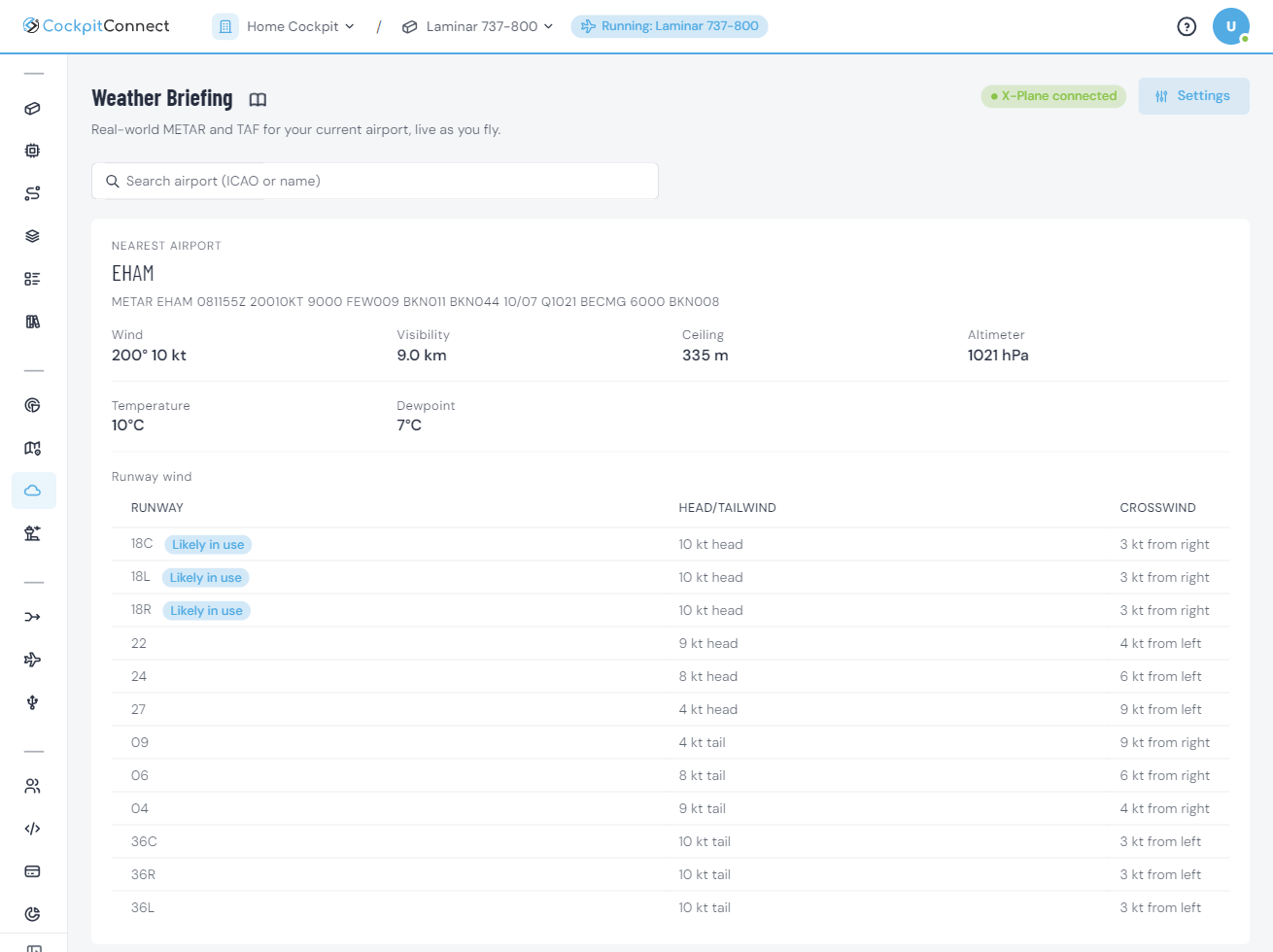
Weather Briefing brings real-world weather into your flow. As you fly, it tracks your position and pushes the METAR for your current airport — decoded into plain language so you are not parsing raw codes mid-approach.
Need a field you are not near yet? Look up any airport on demand by ICAO code or name and get the same decoded briefing for planning, with its TAF forecast underneath. With a SimBrief flight plan, you also get the forecast for your destination and alternates, showing what to expect when you arrive.
See it in action
Key capabilities
Follows your simulator position and surfaces the METAR for the airport you are actually at.
Wind, visibility, cloud and pressure translated into readable language.
Headwind and crosswind on every runway, gusts included, with the runway most likely in use marked.
With Live Map on too, see the METAR at every airport within 25 NM of your SimBrief route, coloured VFR, MVFR, IFR or LIFR, right on the map.
Search any airport by ICAO or name for pre-flight and diversion planning.
The forecast for your destination and alternates, decoded into a timeline of FM, TEMPO, BECMG and PROB periods, with the period at your planned ETA highlighted. Also on any airport you look up.
Show local QNH on a display or light a warning on a strong crosswind. Flows read real-world weather from the Bridge, which keeps the last values when you go offline.
On approach, get a warning when your altimeter setting differs from the local QNH: on the briefing, and as a push notification once per mismatch. Standard pressure in cruise is left alone, and the threshold is yours to set.
Set your own limits for flight category, crosswind and gust, and get a push notification when the weather at your destination gets worse, so you can plan a diversion in time. The destination comes from your SimBrief flight plan or an airport you searched, and you hear again when it's back within your limits.
Most cockpit software stops at the hardware boundary. Weather Briefing adds real-world context that makes a home cockpit feel like an operational aircraft — useful for setting up realistic approaches and for line-oriented practice.
It is event-driven: the briefing is pushed to you rather than polled, so the information appears the moment it is relevant instead of when you remember to check.