The app that runs your cockpit
Turn ESP32 hardware into a living cockpit — connected to X-Plane 12 over WiFi, defined in visual Flows, and run by a Bridge on any PC on your network, so your sim PC is free to fly.
A different approach to cockpit software
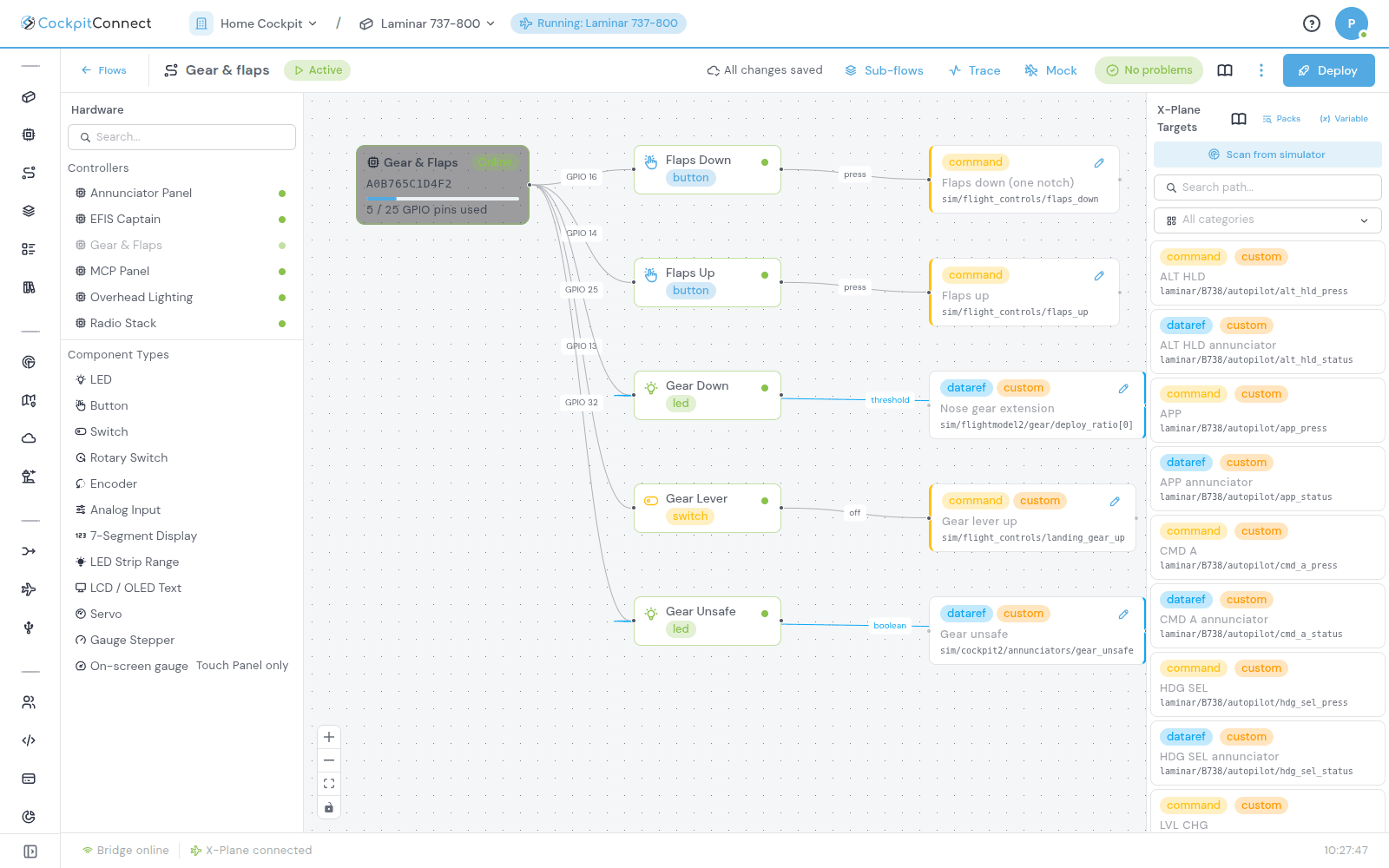
Wire your cockpit by drawing it
Drag a switch, encoder or LED onto the canvas, connect it to a controller, pick its pins and bind it to an X-Plane 12 dataref or command. Every change syncs to your Bridge. Flash each ESP32 once and you never write, compile or reflash a sketch again.
- Buttons, encoders, levers, LEDs, 7-segment displays, LCDs and gauges all wire up the same way
- Value transforms, response curves and lookup tables on every binding
- Start from a Blueprint for the aircraft you fly
Your sim PC just flies
Each ESP32 panel joins your WiFi and finds the Bridge on its own. Run the Bridge on your sim PC, a spare PC or a Raspberry Pi: anywhere on your network. Put it on a second machine and your sim PC runs only X-Plane 12 and the tiny X-Plane Proxy, with its CPU left for frames and no hub full of USB boards hanging off it.
- The Bridge runs on any PC or Raspberry Pi on your network, and keeps running with no internet
- No USB tangle: flash each board once from your browser, then firmware updates arrive over the air
- Controllers find the Bridge by themselves, no IP addresses to type
- X-Plane 12 stays in charge: LEDs and displays only change when the sim confirms
- X-Plane 12
- X-Plane Proxy
- Runs your Flows
- Works offline
- MCP
- Overhead
- Radios
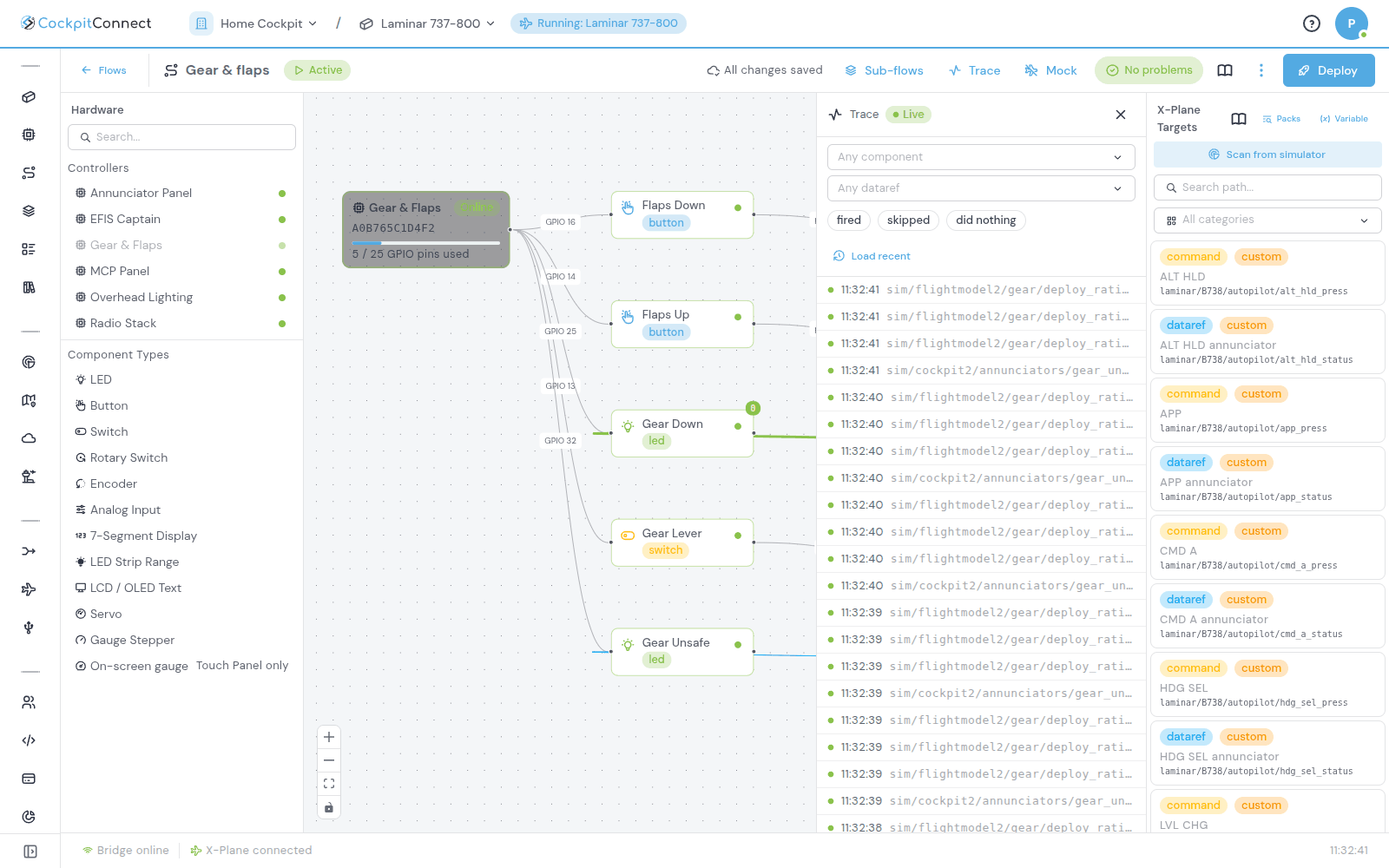
See every event as it happens
Open Trace next to your Flow and watch each button press and dataref update arrive, with the binding that fired lighting up on the canvas. No simulator running? Start the mock simulator and set datarefs by hand to test a panel on your workbench.
- Live Trace filtered by component or dataref
- Mock simulator: test with X-Plane 12 closed, commands are logged instead of sent
- Flow checks point out what is probably wrong before you deploy
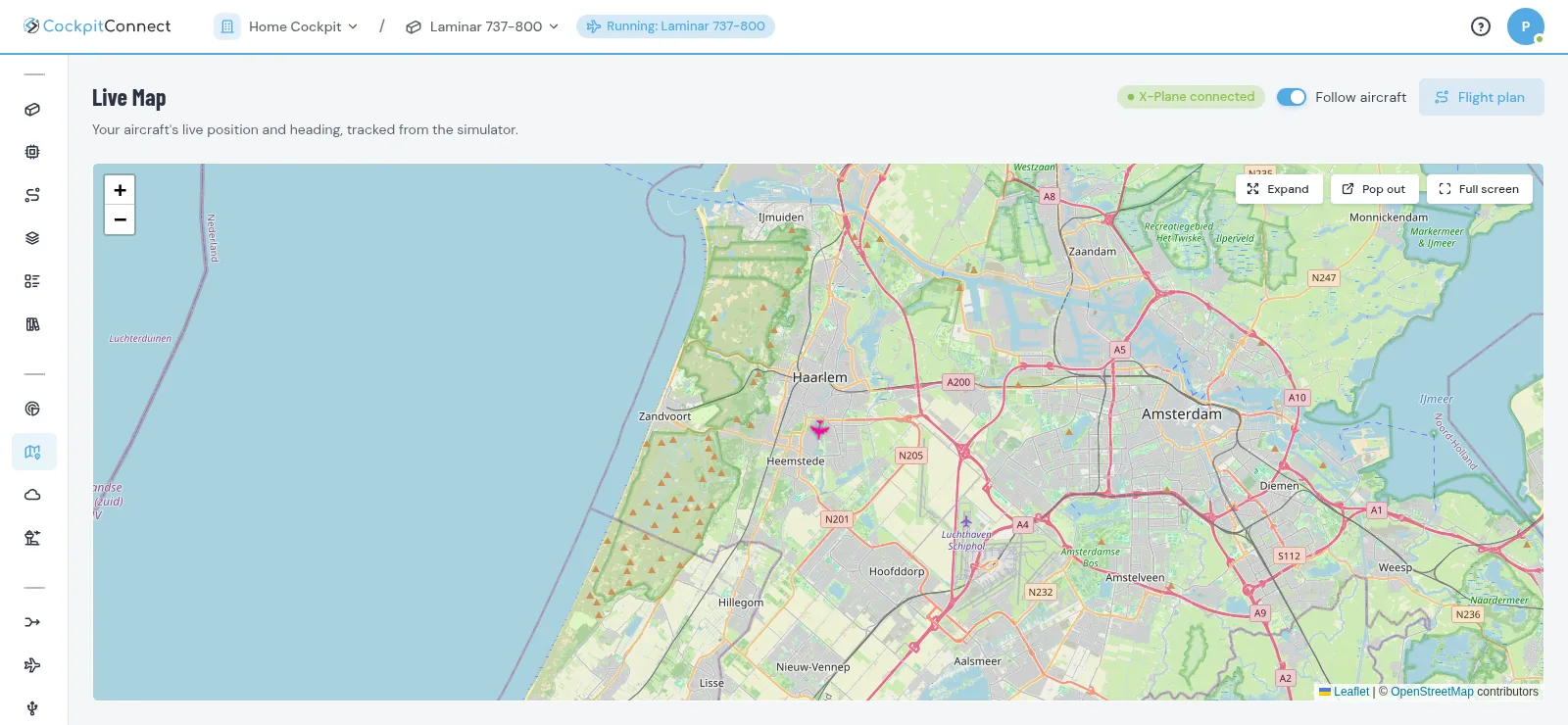
A tour of the app
Your cockpit is defined once in the cloud and synced to a local Bridge. Switch PCs or simulators and nothing needs re-wiring in software.
The Bridge and your controllers keep running on the local network even with no internet — switching your cockpit to a newly loaded aircraft included. The cloud is for configuration, never a runtime dependency.
X-Plane 12 is the single source of truth. Hardware input is intent; state is only confirmed by simulator feedback, so switches and LEDs never lie.
The modules in your plan are on from the start; switch off what you don't use, and add more as your cockpit grows — instead of one monolithic, all-or-nothing package.
Dennis's Cockpit Builds
The personal home cockpits of Dennis van Dalfzen, documented step by step, mistakes included. Built with CockpitConnect, they are one person's projects, not part of the product.
Latest Posts
Know-how for Any Home Cockpit
Questions about your cockpit, or want to try the app?
CockpitConnect is invite-only for now: send Dennis a message on WhatsApp to request access and he sets up your workspace. Questions about the software, your hardware or a build you are planning are welcome too.