Airport Assistant
Live nearby-airport awareness, frequency recognition and a runway diagram, driven by your simulator position.
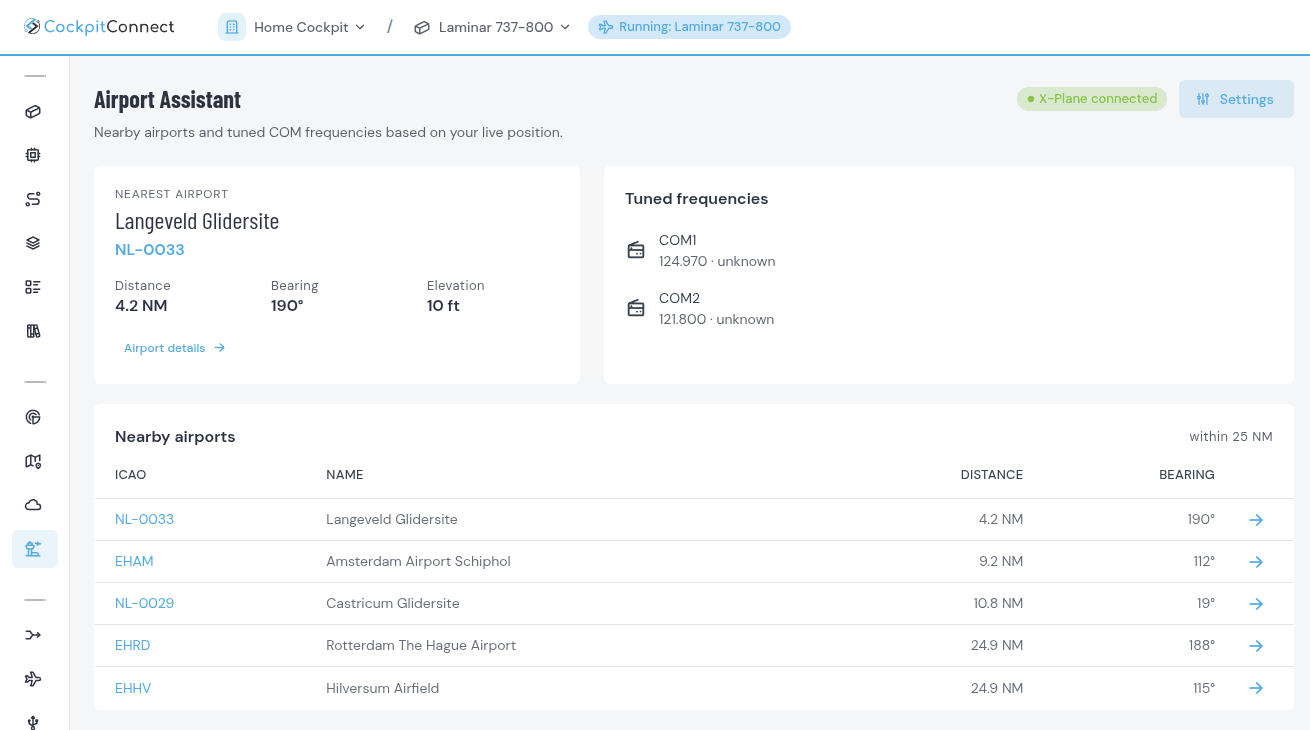
Airport Assistant keeps a running picture of the airports around you as you fly. It uses your live simulator position to surface nearby fields and their frequencies, so tower, ground and ATIS are a glance away.
It is the natural companion to a radio stack build — the reference that would otherwise live on a second screen or a printed chart, brought into the suite and kept current automatically.
See it in action
Key capabilities
Nearby airports update continuously from your simulator's location.
Surfaces the relevant frequencies so tuning your radio stack is quick and accurate.
See which runway you're lined up on and how much is left ahead, counting down live on the roll.
A Diversion view lists the airports within 100 NM where you can actually land, nearest first, with distance, bearing and longest runway. You set the minimum runway length and hard or soft surfaces. With Weather Briefing on, each shows its flight category.
Know what is around you without breaking out of the flow of flying.
Show the nearest airport on a display, or tune COM1 to its ground frequency from a button. Flows read the values from the Bridge, and a button won't tune a stale frequency.
A north-up diagram of every runway, drawn to scale, with your aircraft on it — no charts needed to find your way on the ground.
Radio work is one of the most rewarding parts of a home cockpit and one of the fiddliest to research. Having the right frequencies appear as you approach a field means the radio panel you built actually gets used the way it should.
As with every module, the data follows the simulator — the single source of truth — so it stays honest instead of drifting from what the aircraft is actually doing.